Homepage
 Forum
Forum Drivers
 HMM-Manuals
 MTM
MTM Feed
Feed
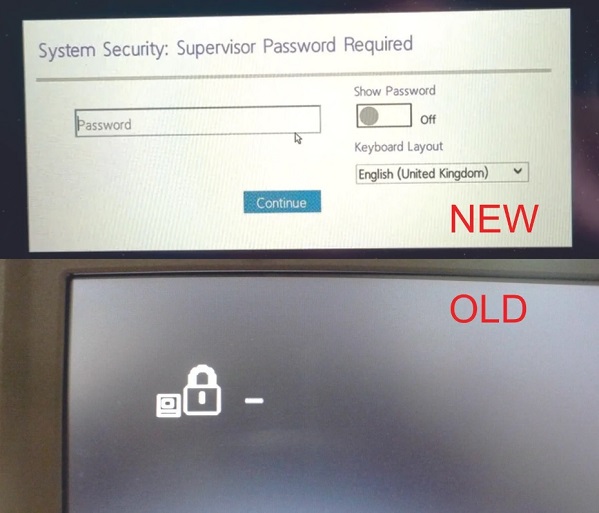
I recently acquired a ThinkPad T14 Gen 3, and while setting up the BIOS supervisor password, I encountered something unexpected. Previously, on older ThinkPad models, upon booting up the machine, I would only see the graphic of a lock and prompt, but now, after setting up the BIOS supervisor password, I'm greeted with a different graphical interface upon startup, as shown in the attached image.
Is there any way to revert this to the simpler lock graphic that was common in older ThinkPad models? I find the new graphical interface somewhat distracting and would prefer the simplicity of the older design. Any guidance or suggestions would be greatly appreciated.
Thank you in advance!