Page 1 of 1

A history of Lenovo's docking solutions - semi-random sampling

Posted: Sat Nov 23, 2024 1:41 pm
by dr_st
Before the age of USB-C and Thunderbolt, proprietary mechanical docking solutions were a key distinguishing features of business laptops, and a mandatory aspect of any corporate IT environment. Things are not much different nowadays, except that the standardized USB-C connector allows docks to be shared across different lineups and manufacturers, reducing corporate spending and headaches.

Here is a quick survey of the docks that I have personally used throughout the years, and a few other that I happened to come by.

As all the info is readily available online, and with better pictures too, I will try to add value by sharing personal observations.

Starting with the mechanical docks.
Image

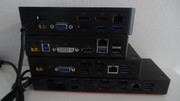
Since the Thinkpad brand was acquired by Lenovo, four generations of mechanical docks have been released. The generations are known as CS05, CS09, CS13 and CS18, standing for "clean sheet" (thanks to Ibthink for this piece of trivia) and the year of their debut. The miniaturization trend made the docking connector shrink with every generation, until it disappeared completely in the last one, being replaced with a side connector.

Lenovo followed IBM's trend and in every generation released several tiers of docking, with higher, more expensive tiers offering additional ports and improved compatibility with workstation models. Most IT departments would pick one, most cost-efficient model for the major part of their fleet. The rule of thumb seemed to be - the cheapest solution that supports two external monitors, together with LAN, audio, keyboard/mouse and power.

CS05 - ThinkPad Advanced Mini-Dock
Model type: 2504
Power socket: Round barrel type (20V)
Compatible with: T/R/Z6x, T/R/W*00 series (DVI output not supported by some Z/R series with integrated graphics)
Thinkwiki: https://www.thinkwiki.org/wiki/ThinkPad ... _Mini-Dock
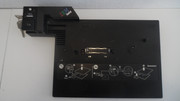
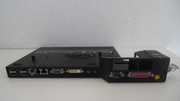
Image Image
  • First dock series released under the Lenovo brand
  • Last series that could be had with IBM logo (as in pic)
  • First series to have the "corner" guide for docking the laptop (increasing the width compared to IBM's last docks)
  • Has special button to 'undock' laptop before pulling it off the dock. Allegedly this was before some device could stop working or even crash the PC when hot-undocking. It never happened to me, and I never used the 'undock button'.
  • Last generation to have modem, PS/2 (combo) parallel, and serial ports. The latter two were causing an issue whereupon if a dock loses power while the laptop is on, the system could lock up. A special BIOS setting to disable these legacy ports on the dock was added to combat this problem.
  • Last generation to offer a "full dock" solution (Advanced Dock 2503), with Ultrabay, PCI-E and an SD card slot.

CS09 - ThinkPad Mini-Dock Series 3
Model type: 4337
Power socket: Round barrel type (20V)
Compatible with: T/L/W/X*10/20/30 series (plus T400s)
Thinkwiki: https://www.thinkwiki.org/wiki/ThinkPad ... k_Series_3
In-depth read: viewtopic.php?p=797093#p797093
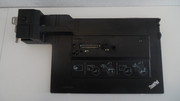
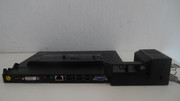
Image Image
  • First generation to support dual digital displays (DisplayPort/DVI) and three total external displays (on select Thinkpads)
  • First generation to get a USB 3.0 port (revised docks)
  • Last generation to offer separate audio-out/mic-in jacks
  • Earlier units had issue with excessive static interference on the audio ports, which was fixed in later units
  • Reintroduces compatibility with X series laptops (missing in CS05 docks)
  • Reintroduces sliding alignment guide to facilitate systems with the docking ports towards the back of the machine (T4*0s series)

CS13 - ThinkPad Ultra Dock
Model type: 40A2
Power socket: Slim-tip (20V)
Compatible with: T/L/W/X*40-70 series (including Thinkpad 25)
Thinkwiki: https://www.thinkwiki.org/wiki/ThinkPad_Ultra_Dock
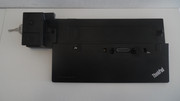
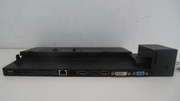
Image Image
  • First series with HDMI-out port (Ultra 40A2 / Workstation 40A5 docks only)
  • First series with audio in+out combo jack (not on Basic dock)
  • First series with USB always-on (yellow) port
  • First generation with upgradeable firmware (for the built-in Synaptics DisplayPort Hub)
  • Revised, smaller corner alignment guide (to reduce fan exhaust obstruction?)
  • Mid-range option (Pro Dock 40A1) "gimped" to support only single digital display out (to push people towards the high-end models, no doubt)
  • Last generation with bottom docking connector

CS18 - ThinkPad Ultra Docking Station
Model type: 40AJ
Power socket: Slim-tip (20V)
Compatible with: T/L/X/P*8x-9x series, T/L/X/P13/14/15 series (Gen1/Gen2, incl. Yoga), X1 Carbon Gen6/Gen7/Gen8, X1 Yoga Gen4/Gen5)
Thinkwiki: https://www.thinkwiki.org/w/index.php?t ... &redlink=1 (TBD)
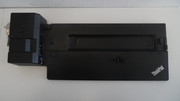
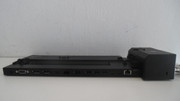
Image Image

The CS18 series of docks were revolutionary in two related key aspects. The transition to a side docking port made the docks compatible with a whole wide range of ultra-slim / 2-in-1 laptops, where a bottom connector is impractical. The fact that the connector (mostly) doubled as a pair of USB-C/Thunderbolt ports, coupled with the elimination of the slim-tip charging socket, space requirements on the chassis were reduced significantly, making it practical for smaller laptops as well. As a result - a rather long and impressive list of compatible models.

At the same time, the breakthroughs which made this technology possible, were also its downfalls. Universal USB-C and Thunderbolt docks, including offerings from Lenovo, started to take over the market. The proprietary docks offered a few benefits, such as the ability to exceed Thunderbolt's 95-100W power limit with no extra cables, and a built-in key mechanism locking the Thinkpad to the dock, these were not very meaningful for the majority of users. And there was a major downside (thanks again to Ibthink for pointing it out :)) - to maximize compatibility, the docks only passed through USB-C, not Thunderbolt. Thus, if your system had Thunderbolt support, you would lose access to those ports when docked. As a consequence - this generation of mechanical docks was the last, for the time being and the foreseeable future.

  • First generation with side docking connector - 2xUSB-C + Proprietary Ethernet passthrough port
  • First generation with USB-C ports (a necessity considering that the dock itself takes over both ports on the chassis)
  • First generation without DVI port (adapters from DP or HDMI may be used)
  • Somewhat wider than previous generations
  • Side-locking mechanism feels a bit flimsy and more prone to accidental removal compared to bottom-mount docking (subjective)

A post about a few of the "cable" docks I've encountered will follow this one, when I have some time to write it. :)
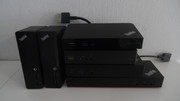
Re: A history of Lenovo's docking solutions - semi-random sampling

Posted: Sat Nov 23, 2024 1:42 pm
by dr_st
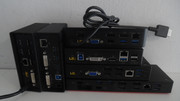
When it comes to Lenovo's cable docks, my sampling is very chaotic and consists of random units that I just happened to come across. Right now there are six of them in my possession, conveniently divisible into three subsets. A couple of them are mere USB 3.0 hubs with DisplayLink capabilities. Two more use Lenovo's proprietary OneLink technology. The final pair are generic USB-C docks, including DisplayPort Alternate Mode and Power Delivery, one of which is full-fledged Thunderbolt.

Image Image

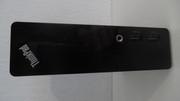
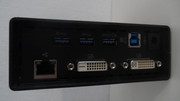
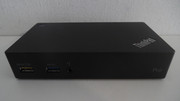
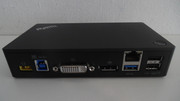
ThinkPad USB 3.0 Dock
Model type: DU9019D1
Power: 20V/2A (40W), 5.5x2.5mm round tip
Technology: DisplayLink
Orientation: Vertical
Rear ports: Power, USB uplink, 3xUSB3.0 (one always-on), DVI-I, DVI-D, Gigabit Ethernet
Front ports: 2xUSB3.0, 3.5mm audio combo jack
Image Image Image
This unit is strange in a couple of ways - it has a strange model number, not following Lenovo's 4-digit model type nomenclature, and its DC-in jack is a rather uncommon for Lenovo small barrel type. The sides and top are covered with the bad kind of rubbery coating that becomes sticky and gross as it disintegrates. Best to remove.

ThinkPad USB 3.0 Pro Dock
Model type: 40A7 / DK1522
Power: 20V/2.25A (45W), Lenovo slim-tip
Technology: DisplayLink
Orientation: Horizontal
Rear ports: Power, USB uplink, 1xUSB3.0, 2xUSB2.0, DVI-I, DisplayPort++, Gigabit Ethernet
Front ports: 2xUSB3.0 (one always-on), 3.5mm audio combo jack
Image Image
This model looks like all Lenovo's USB-C/TBT docks, which can be misleading. It is small and "sexy". Compared to the "basic" one - two of the USB 3.0 ports were "downgraded" to 2.0, which is strange, but in reality won't likely be an issue, since a keyboard and mouse do not need anything more than that. The actual bandwidth of a single USB 3.0 uplink won't support five super-speed USB 3.0 devices anyways. The versatility of video ports is welcome, since you with DVI-I and DisplayPort++ you can connect any type of monitor - DisplayPort, HDMI, DVI and VGA. There also exists an USB 3.0 'Ultra Dock' (40A8), which gives you DisplayPort and HDMI (plus an extra USB 3.0 port). Based on your desired display configuration, any of the three docks can be optimal.

Overall, the DisplayLink "docks" are not real docks in the sense they cannot be a one-stop hub for turning your laptop into a desktop. They don't provide power to the machine (the power button merely turns on the box), so you need at least an extra power cable, and they don't offer any passthrough ports other than USB. Everything else runs off USB, requires the DisplayLink drivers, and is limited by the rather mediocre sustained performance of USB, which is mostly noticeable for video. However, this is also their strange advantage - you can use them in addition to a real dock, achieving extra displays on top of those natively supported by your laptop (just don't try running games or HD video on the DisplayLink-connected monitors).
Image Image

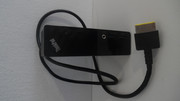
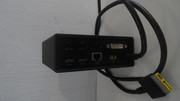
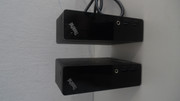
ThinkPad OneLink Pro Dock
Model type: DU9033S1
Power: 20V/4.5A (90W), Lenovo slim-tip
Technology: OneLink
Orientation: Vertical
Rear ports: Power, 2xUSB3.0, 2xUSB2.0, DVI-I, DisplayPort++, Gigabit Ethernet
Front ports: 2xUSB3.0, 3.5mm audio combo jack
Image Image Image
From the front, the OneLink Pro Dock looks almost indistinguishable from the USB 3.0 dock (see right pic above), and it has a similarly strange model number. One advantage is that it does not suffer from the disintegrating rubberized coating problem. The more important thing is the difference in the technology. The custom OneLink cable passes, in addition to USB signals, native DisplayPort and power (including power button functionality). It is a true proprietary docking solution, but compared to its contemporary CS13 dock port, it lacks dedicated Ethernet and audio signals. These are routed over USB, and require separate drivers to work. The ports available on this dock are almost identical to the USB 3.0 Dock 40A7, but the fact that the video ports are native will have a tangible performance benefit.

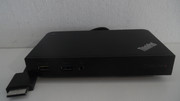
ThinkPad OneLink+ Dock
Model type: 40A4 / DU9047S1
Power: 20V/4.5A (90W), Lenovo slim-tip
Technology: OneLink
Orientation: Horizontal
Rear ports: Power, 2xUSB3.0, 2xUSB2.0, 2xDisplayPort++, VGA, Gigabit Ethernet
Front ports: 2xUSB3.0 (one always-on), 3.5mm audio combo jack
Image Image
The OneLink+ connector is an evolution of the original OneLink, slimmer and with more pins. As far as I see, its main purpose was to address a limitation of OneLink related to the maximum supported DisplayPort bandwidth. Where the original was limited to 2560x1600 on the DP, and 1920x1200 on the DVI, this one can support a single DP 3840x2160@60Hz, two 2560x1600@60Hz or two 3840x2160@30Hz, and usually with some extra bandwidth left over for the VGA connector. Yes, there is a dedicated VGA port on this one to support ancient displays, since neither of the DP++ can support VGA with a passive adapter the same way a DVI-I port could. Otherwise, the port selection is the same as in the OneLink Pro. This dock has a somewhat unique shape - similar to the later "box" docks, but with a raised and curved back edge, and piano black finish. Quite pretty.

With OneLink Lenovo aimed to provide docking capability specifically to machines where a docking port on the bottom is infeasible. It must be cheaper than a CS13 docking port, because it was also used on some budget E-series models, which could have easily accommodated the latter. The enhanced OneLink+ was even more short-lived and used only on a handful of systems. There is a cable to connect an older OneLink system to the OneLink+ dock, but not the other way around, and such an adapter would be limited to the capabilities of the original OneLink.

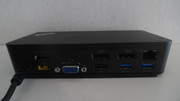
ThinkPad USB-C Dock
Model type: 40A9 / DK1633
Power: 20V/4.5A (90W), Lenovo slim-tip
Technology: USB-C
Orientation: Horizontal
Rear ports: Power, USB-C uplink, 2xUSB3.0 (one always on), 2xUSB2.0, 2xDisplayPort++, VGA, Gigabit Ethernet
Front ports: USB3.0, USB-C, 3.5mm audio combo jack
Image Image
This is the first generation of Lenovo's USB-C/TBT docks. Feature-wise, it is remarkably similar to its more-or-less direct predecessor, the OneLink+ dock. The connection to the PC is now via a USB-C port (a cable is included), one of the front USB 3.0 ports was replaced with USB-C as well, although that one is only for connecting/charging smaller gadgets, and the always-on USB was moved to the rear of the unit. Other than that - it is the same selection of ports, roughly same size and shape. Both docks can do 3840x2160@30Hz on a single DP port. According to Lenovo's official documentation - the 40A9 dock is a step back in one aspect - for two displays it only support 1920x1200@60Hz, versus 2560x1600@60Hz on the 40A4. I haven't verified whether this information is correct.

I used a 40A9 for about a year and a half with a X1C5 and a TP25. It worked well most of the time, but I do remember some issues with displays not going to sleep properly, and sometimes USB devices disconnecting. Reports of monitor blinking are common with this model. For an early implementation of a technology it can be expected, but nowadays there are better successors.

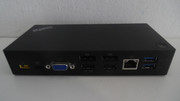
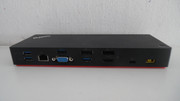
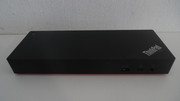
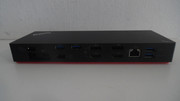
ThinkPad Thunderbolt 3 Dock
Model type: 40AC / DBB9003L1
Power: 20V/6.75A (135W), Lenovo slim-tip
Technology: Thunderbolt 3
Orientation: Horizontal
Rear ports: Power, Thunderbolt, 4xUSB3.0 (one always on), 2xDisplayPort++, HDMI, VGA, Gigabit Ethernet
Front ports: USB3.0, Thunderbolt, 3.5mm audio combo jack
Image Image
Compared to the USB-C dock, the port selection is richer and more modern. All five USB ports are now 3.0, the extra USB-C port on the front is full-fledged Thunderbolt (claiming 5V/3A power delivery), and an HDMI port has been added on top of the pair of DP++ and VGA, for flexible monitor connectivity. The second pair of DP/HDMI share a video stream, so only a maximum of three displays can be connected total, but the dock will happily do a pair of 3840x2160@30Hz or a single 3840x2160@60Hz - something beyond the scope of plain USB-C. VGA can output 1920x1200@60Hz. On selected laptops, with high-bandwidth Thunderbolt controllers, another 3840x2160@60Hz output can be obtained via the Thunderbolt downstream port on the front, but still only up to three total displays at the same time.

The downside of this dock is that it is Thunderbolt only. It cannot work with a plain USB-C host, because USB-C fallback was not yet implemented in this generation of controllers (Alpine Ridge).

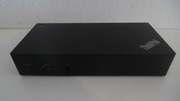
ThinkPad Thunderbolt 3 Dock Gen 2
Model type: 40AN / DK1841
Power: 20V/6.75A (135W), Lenovo slim-tip
Technology: Thunderbolt w/ USB-C fallback
Orientation: Horizontal
Rear ports: 2xPower, Thunderbolt + extra power uplink, 4xUSB3.0 (one always on), 2xDisplayPort++, 2xHDMI, Gigabit Ethernet
Front ports: USB3.0, Thunderbolt, 3.5mm audio combo jack
Image Image
This 40AN dock was sold by Lenovo under three different names - TBT3 Dock Gen2, TBT3 Workstation Dock, TBT3 Workstation Dock Gen2. The only difference is in the included power adapters and power cables. Since TBT3 is limited to 90-95W output, this dock supports power delivery to workstation notebooks via a special cable combining TBT with an extra power cord, delivering up to 170W of power to the notebook itself. The 'workstation' versions came with such a cable (its design changed slightly between Gen1 and Gen2). The original workstation package included two separate power supplies, and that is why the dock has two separate, marked power plugs. Workstation Gen2 saved on the size and weight by delivering a novel, powerful yet slim power adapter and a Y-splitter cable. The regular Gen2 is much simpler - using only a single 135W adapter, and a standard TBT3 cable to the PC, delivering up to 65W. Apparently, the dock takes a good deal of power for itself, because it refuses to deliver power to the system with only a 90W adapter connected.

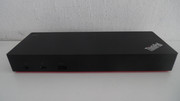
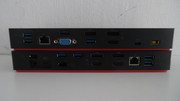
Image Image
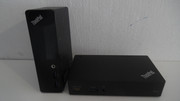
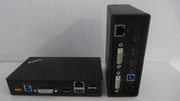
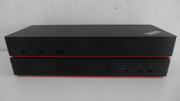
Compared to the original 40AC dock (on top), the 40AN (bottom) has some significant advantages:
  • Fallback to USB-C when the host PC does not support Thunderbolt
  • USB 3.1 Gen 2 10Gbps versus 3.0 5Gbps
  • Supports power delivery for workstation-class laptops
  • Supports dual HDMI without adapters
  • Supports three external digital displays without Thunderbolt and (on select models) up to four with Thunderbolt (front port)

The one downside is the elimination of the legacy VGA output, if you have a particularly old display with no DP/HDMI inputs. At slightly over 500 grams, the 40AN is also about 200g heavier than the 40AC. I've also had one strange anecdotal experience - this newer Titan Ridge dock, on an older Alpine Ridge host, had some issues in pre-boot environments with a very particular keyboard. Not something one is likely to run into.

Image Image

Once USB-C and Thunderbolt came into the picture, it was game over for proprietary docking standards. Since Thunderbolt can pass PCI-Express, which in turn can tunnel everything from GPU to LAN, there is no reason to use anything else if your host has the technology. This gives the benefit of making the docks almost universal - they would work just the same with any host that has the same Thunderbolt controller - with exception of niche features such as power button compatibility. The power button on these Thinkpad docks will probably not work on other laptops, including some of Lenovo's own. And vice versa. I understand the situation may be resolved in latest USB4 offerings, as the spec offers a standard way to alert the system via the power delivery (PD) protocol. I haven't had a chance to try.

One aspect in which I rank the Lenovo USB-C/TBT docks higher than those of other big names - detachable cables. With most HP and DELL offerings I've seen have the cable integrated into the body of the dock, and if something damages the cable or the connector on the other end - it's a costly and non-trivial replacement of the module. Lenovo's docks use standard cables everywhere (except perhaps the workstation charging cord of dock 40AN, but even that one is easier to replace than something that requires taking the dock apart). The OneLink generation does use fixed cables, but both the cable and connector are very thick and unlikely to get damaged due to a minor misahp. Something which, unfortunately, isn't true about the miniature USB-C connectors.

Re: A history of Lenovo's docking solutions - semi-random sampling

Posted: Sun Nov 24, 2024 5:53 am
by Ibthink
Nice work!

One thing that always bugged me about the mechanical docks is that Lenovo would often place the fan exhaust at the top left corner, exactly where the docking had its corner guide, impairing cooling. Puzzling design choice. Just put the guide on the other side, most people are right handed anyway...

And one slight correction about the side dock: Those were not Thunderbolt based. They were based on USB C without Thunderbolt. The reason being that all the AMD based models of this era as well as cheaper L series ThinkPads did not actually support Thunderbolt, so Lenovo used the less powerful standard to keep the docks compatible with more models. This is also why the docks have no Thunderbolt output, which limits their usefulness, as it blocks the Thunderbolt ports but does not provide any of its own.

This is also the reason why the side docking port included the proprietary miniEthernet connector, as USB C (unlike Thunderbolt) couldn't provide native Ethernet at the time, so they needed the additional Ethernet pass-through via the proprietary port. Also, these docks need a driver for audio, since USB C only provides data, power and video (through DisplayPort Alt mode), but not audio.

Re: A history of Lenovo's docking solutions - semi-random sampling

Posted: Sun Nov 24, 2024 8:09 am
by TPFanatic
My Ultrabase Series 3 has a side button but it often crashes my X330 when I use the side button. The OS reboots quickly enough and my programs are intelligent enough to restore themselves to previous working states that a crash is not so problematic anymore. An excessive static issue like that you described in the CS09 docks is very present in my Ultrabase Series 3's audio out ports.

I strongly dislike USB C / Thunderbolt. On ThinkPads' best models the connector is at its best still less durable than a real proprietary power outlet. On ThinkPads' worst models like the contemporary E-line, many customers report breakage. On my P71 which I have not abused, one Thunderbolt connector is looser than the other, and I cannot easily repair those connectors if they fail. Compare to a real classic ThinkPad with the power connector on an easily replaceable sub-board or replaceable in itself.

I am still using X230 with Ultrabase Series 3, P71 with its mechanical dock, and T430 with CS09 eSATA dock, but changing priorities has gotten me back to using the T60, which I've ordered a CS05 dock for and in the future would like a 2503 full-size to expand with. The IDTECH 4:3 1600x1200 is easier on my eyes. It is the panel form factor I grew up using as a child in the early 2000s. It makes me happy to retain service of such well-engineered technology.

Re: A history of Lenovo's docking solutions - semi-random sampling

Posted: Sun Nov 24, 2024 9:05 am
by RealBlackStuff
Have a look at my post about
USB-C/Thunderbolt Magnetic breakaway connector

I bought some for my T480 and it works like a charm.

Re: A history of Lenovo's docking solutions - semi-random sampling

Posted: Sun Nov 24, 2024 11:49 am
by dr_st
Ibthink wrote:
Sun Nov 24, 2024 5:53 am
One thing that always bugged me about the mechanical docks is that Lenovo would often place the fan exhaust at the top left corner, exactly where the docking had its corner guide, impairing cooling. Puzzling design choice. Just put the guide on the other side, most people are right handed anyway...
Possibly it was a consideration of blocking some cooling versus blocking access to a few ports on the laptop. From the beginning, I've been a bit bothered by the dock blocking the sole USB port on the left side of the T470/25. For CS05/CS09 docks putting the guide on the right would have the same effect, plus maybe hindering the Ultrabay. In that sense the older IBM docks, without the guide, had some advantage.
Ibthink wrote:
Sun Nov 24, 2024 5:53 am
And one slight correction about the side dock: Those were not Thunderbolt based. They were based on USB C without Thunderbolt. The reason being that all the AMD based models of this era as well as cheaper L series ThinkPads did not actually support Thunderbolt, so Lenovo used the less powerful standard to keep the docks compatible with more models. This is also why the docks have no Thunderbolt output, which limits their usefulness, as it blocks the Thunderbolt ports but does not provide any of its own.
Thank you for this observation. I noticed that the USB-C ports on the dock are not TBT, and didn't take the next logical step, to conclude that this is a corollary of TBT not being passed through the dock connector at all. It's a pity, although understandable. However, i'm curious whether it would have been possible to make the port TBT with fallback to basic USB-C? If I'm not mistaken, TBT cable docks in general, can work with non-TBT hosts.
Ibthink wrote:
Sun Nov 24, 2024 5:53 am
This is also the reason why the side docking port included the proprietary miniEthernet connector, as USB C (unlike Thunderbolt) couldn't provide native Ethernet at the time, so they needed the additional Ethernet pass-through via the proprietary port.
I think they'd need the proprietary miniEthernet port regardless, as long as they wanted it to function as a passthrough to the onboard LAN chip. These lanes carry proprietary signals between the PHY and the RJ45, not standard PCIe. Of course, they could have put a different PCIe LAN in the dock, but then they could have also put a USB LAN there, like all their modern cable docks have.
Ibthink wrote:
Sun Nov 24, 2024 5:53 am
Also, these docks need a driver for audio, since USB C only provides data, power and video (through DisplayPort Alt mode), but not audio.
I believe audio is built into the DisplayPort standard, so it should be possible to carry it over DP Alt Mode, but then it probably would be embedded in the data stream, and would have to travel all the way to the monitor, unless the dock did something special to demultiplex it (if that is even possible at the intermediate level).

Come to think of it, I have never used DisplayPort/HDMI Audio through any USB-C/Thunderbolt Dock. Which monitor would it go through, anyways, if I'm using 2 or 3?
TPFanatic wrote:
Sun Nov 24, 2024 8:09 am
An excessive static issue like that you described in the CS09 docks is very present in my Ultrabase Series 3's audio out ports.
I have to check my X220 Ultrabases (I have two), but I think I remember having the same problem. I wonder if it's also been resolved past a certain manufacturing date.

Re: A history of Lenovo's docking solutions - semi-random sampling

Posted: Sun Nov 24, 2024 2:22 pm
by Ibthink
dr_st wrote:
Sun Nov 24, 2024 11:49 am
Thank you for this observation. I noticed that the USB-C ports on the dock are not TBT, and didn't take the next logical step, to conclude that this is a corollary of TBT not being passed through the dock connector at all. It's a pity, although understandable. However, i'm curious whether it would have been possible to make the port TBT with fallback to basic USB-C? If I'm not mistaken, TBT cable docks in general, can work with non-TBT hosts.
Thunderbolt/USB C does have this ability. However, this is something you want to avoid when designing a single dock to be compatible with all device. If you do that, you basically have different models work differently with the dock, which can lead to frustrating issues that don't really make sense for the user.

And in that era, even the devices with Thunderbolt sometimes had only one Thunderbolt port. For example, while a T480 has 2x USB C, one of which supports Thunderbolt, the X1 Carbon Gen 6 had two Thunderbolt ports. And The X1 Carbon had full-speed 40 GBit/s Thunderbolt, while the T series had the cut-down version with 20 GBit/s. So I think it was the best decision to leave it as USB C, to avoid having to deal with this confusion.
dr_st wrote:
Sun Nov 24, 2024 11:49 am
I think they'd need the proprietary miniEthernet port regardless, as long as they wanted it to function as a passthrough to the onboard LAN chip. These lanes carry proprietary signals between the PHY and the RJ45, not standard PCIe. Of course, they could have put a different PCIe LAN in the dock, but then they could have also put a USB LAN there, like all their modern cable docks have.
The thing is - current Thunderbolt docks do support PXE Boot, despite there being no proprietary Ethernet connector involved. Not sure how that works.
dr_st wrote:
Sun Nov 24, 2024 11:49 am
Possibly it was a consideration of blocking some cooling versus blocking access to a few ports on the laptop. From the beginning, I've been a bit bothered by the dock blocking the sole USB port on the left side of the T470/25. For CS05/CS09 docks putting the guide on the right would have the same effect, plus maybe hindering the Ultrabay. In that sense the older IBM docks, without the guide, had some advantage.
Makes sense with the port blockage thing. Makes me wonder why Lenovo insisted on this design - guess we will never find out that one.

Re: A history of Lenovo's docking solutions - semi-random sampling

Posted: Sun Nov 24, 2024 3:57 pm
by dr_st
Ibthink wrote:
Sun Nov 24, 2024 2:22 pm
The thing is - current Thunderbolt docks do support PXE Boot, despite there being no proprietary Ethernet connector involved. Not sure how that works.
I don't think there is anything impossible in getting PXE Boot to work for a USB LAN, although for sure there are more PCIe LAN devices that support it. Are you referring to Lenovo's docks or some others? I would be curious to find out which LAN controller they have.

Re: A history of Lenovo's docking solutions - semi-random sampling

Posted: Sun Nov 24, 2024 5:57 pm
by TPFanatic
I personally don’t think the cooling issue is on the merits that big of a deal. In a well-managed corporate network of 2006-2012 the laptops aren’t going to be choking on computations as much as thrashing their spinners.

As secondhand PCs used outside of their primary purpose, computational + graphical overheating goes from out of the ordinary to fair enough.

The office workers aren’t playing Need for Speed on their docks. So maximal cooling simply isn’t in the RFP.

Re: A history of Lenovo's docking solutions - semi-random sampling

Posted: Mon Nov 25, 2024 5:13 am
by Ibthink
dr_st wrote:
Sun Nov 24, 2024 3:57 pm
Are you referring to Lenovo's docks or some others? I would be curious to find out which LAN controller they have.
Yes, this one for example: https://support.lenovo.com/ma/en/soluti ... vice-parts

As it says in the description: "Lenovo USB-C & Thunderbolt™ Docks function with notebooks that support industry standard USB-C Alt-Mode or Thunderbolt™ protocols through their Type-C™ port. Lenovo USB-C and Thunderbolt™ Docks support additional features, such as MAC address passthrough"

Re: A history of Lenovo's docking solutions - semi-random sampling

Posted: Fri Nov 29, 2024 3:23 pm
by dr_st
Ibthink wrote:
Mon Nov 25, 2024 5:13 am
dr_st wrote:
Sun Nov 24, 2024 3:57 pm
Are you referring to Lenovo's docks or some others? I would be curious to find out which LAN controller they have.
Yes, this one for example: https://support.lenovo.com/ma/en/soluti ... vice-parts

As it says in the description: "Lenovo USB-C & Thunderbolt™ Docks function with notebooks that support industry standard USB-C Alt-Mode or Thunderbolt™ protocols through their Type-C™ port. Lenovo USB-C and Thunderbolt™ Docks support additional features, such as MAC address passthrough"
Oh, yes, MAC address passthrough has become a sought after feature once the USB-C/TBT docks became norm. All the vendor proprietary solutions were simply tapping into the electrical signals between the onboard LAN and the RJ45, and routing them through the dock. However, USB/TBT docks include their own LAN controller, which has a different MAC address. Some IT departments like to uniquely identify the machine by its Ethernet MAC, and this obviously doesn't work if the machine can connect through different docks, or even directly into the wall. The solution is for the driver/firmware of the dock LAN to dynamically change its MAC address to that of the onboard LAN of the connected host. For preboot functionality this obviously requires some BIOS (or similar) support from the host system. Once the OS is booted, a simple service can usually do it.

P.S. The cable dock post above is now complete.

Re: A history of Lenovo's docking solutions - semi-random sampling

Posted: Mon Mar 02, 2026 11:49 am
by dr_st
*bump* - added original TBT3 dock 40AC to second post