When it comes to Lenovo's cable docks, my sampling is very chaotic and consists of random units that I just happened to come across. Right now there are six of them in my possession, conveniently divisible into three subsets. A couple of them are mere USB 3.0 hubs with DisplayLink capabilities. Two more use Lenovo's proprietary OneLink technology. The final pair are generic USB-C docks, including DisplayPort Alternate Mode and Power Delivery, one of which is full-fledged Thunderbolt.
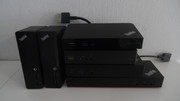
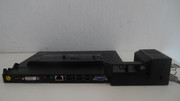
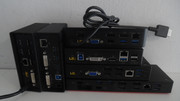 ThinkPad USB 3.0 Dock
Model type: DU9019D1
Power: 20V/2A (40W), 5.5x2.5mm round tip
Technology: DisplayLink
Orientation: Vertical
Rear ports: Power, USB uplink, 3xUSB3.0 (one always-on), DVI-I, DVI-D, Gigabit Ethernet
Front ports: 2xUSB3.0, 3.5mm audio combo jack
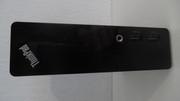
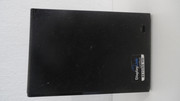
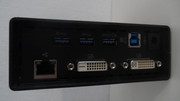
This unit is strange in a couple of ways - it has a strange model number, not following Lenovo's 4-digit model type nomenclature, and its DC-in jack is a rather uncommon for Lenovo small barrel type. The sides and top are covered with the bad kind of rubbery coating that becomes sticky and gross as it disintegrates. Best to remove.
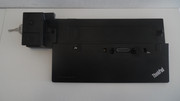
ThinkPad USB 3.0 Pro Dock
Model type: 40A7 / DK1522
Power: 20V/2.25A (45W), Lenovo slim-tip
Technology: DisplayLink
Orientation: Horizontal
Rear ports: Power, USB uplink, 1xUSB3.0, 2xUSB2.0, DVI-I, DisplayPort++, Gigabit Ethernet
Front ports: 2xUSB3.0 (one always-on), 3.5mm audio combo jack
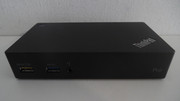
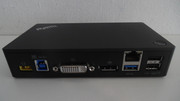
This model looks like all Lenovo's USB-C/TBT docks, which can be misleading. It is small and "sexy". Compared to the "basic" one - two of the USB 3.0 ports were "downgraded" to 2.0, which is strange, but in reality won't likely be an issue, since a keyboard and mouse do not need anything more than that. The actual bandwidth of a single USB 3.0 uplink won't support five super-speed USB 3.0 devices anyways. The versatility of video ports is welcome, since you with DVI-I and DisplayPort++ you can connect any type of monitor - DisplayPort, HDMI, DVI and VGA. There also exists an USB 3.0 'Ultra Dock' (40A8), which gives you DisplayPort and HDMI (plus an extra USB 3.0 port). Based on your desired display configuration, any of the three docks can be optimal.
Overall, the DisplayLink "docks" are not real docks in the sense they cannot be a one-stop hub for turning your laptop into a desktop. They don't provide power to the machine (the power button merely turns on the box), so you need at least an extra power cable, and they don't offer any passthrough ports other than USB. Everything else runs off USB, requires the DisplayLink drivers, and is limited by the rather mediocre sustained performance of USB, which is mostly noticeable for video. However, this is also their strange advantage - you can use them
in addition to a real dock, achieving extra displays on top of those natively supported by your laptop (just don't try running games or HD video on the DisplayLink-connected monitors).
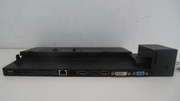
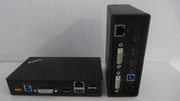 ThinkPad OneLink Pro Dock
Model type: DU9033S1
Power: 20V/4.5A (90W), Lenovo slim-tip
Technology: OneLink
Orientation: Vertical
Rear ports: Power, 2xUSB3.0, 2xUSB2.0, DVI-I, DisplayPort++, Gigabit Ethernet
Front ports: 2xUSB3.0, 3.5mm audio combo jack
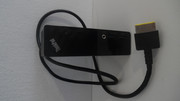
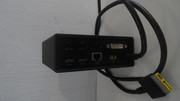
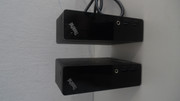
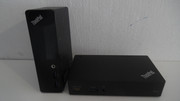
From the front, the OneLink Pro Dock looks almost indistinguishable from the USB 3.0 dock (see right pic above), and it has a similarly strange model number. One advantage is that it does not suffer from the disintegrating rubberized coating problem. The more important thing is the difference in the technology. The
custom OneLink cable passes, in addition to USB signals, native DisplayPort and power (including power button functionality). It is a true proprietary docking solution, but compared to its contemporary CS13 dock port, it lacks dedicated Ethernet and audio signals. These are routed over USB, and require separate drivers to work. The ports available on this dock are almost identical to the USB 3.0 Dock 40A7, but the fact that the video ports are native will have a tangible performance benefit.
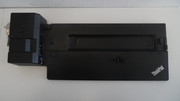
ThinkPad OneLink+ Dock
Model type: 40A4 / DU9047S1
Power: 20V/4.5A (90W), Lenovo slim-tip
Technology: OneLink
Orientation: Horizontal
Rear ports: Power, 2xUSB3.0, 2xUSB2.0, 2xDisplayPort++, VGA, Gigabit Ethernet
Front ports: 2xUSB3.0 (one always-on), 3.5mm audio combo jack
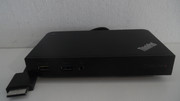
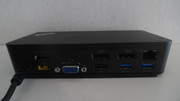
The OneLink+ connector is an evolution of the original OneLink, slimmer and with more pins. As far as I see, its main purpose was to address a limitation of OneLink related to the maximum supported DisplayPort bandwidth. Where the original was limited to 2560x1600 on the DP, and 1920x1200 on the DVI, this one can support a single DP 3840x2160@60Hz, two 2560x1600@60Hz or two 3840x2160@30Hz, and usually with some extra bandwidth left over for the VGA connector. Yes, there is a dedicated VGA port on this one to support ancient displays, since neither of the DP++ can support VGA with a passive adapter the same way a DVI-I port could. Otherwise, the port selection is the same as in the OneLink Pro. This dock has a somewhat unique shape - similar to the later "box" docks, but with a raised and curved back edge, and piano black finish. Quite pretty.
With OneLink Lenovo aimed to provide docking capability specifically to machines where a docking port on the bottom is infeasible. It must be cheaper than a CS13 docking port, because it was also used on some budget E-series models, which could have easily accommodated the latter. The enhanced OneLink+ was even more short-lived and used only on a handful of systems. There is a
cable to connect an older OneLink system to the OneLink+ dock, but not the other way around, and such an adapter would be limited to the capabilities of the original OneLink.
ThinkPad USB-C Dock
Model type: 40A9 / DK1633
Power: 20V/4.5A (90W), Lenovo slim-tip
Technology: USB-C
Orientation: Horizontal
Rear ports: Power, USB-C uplink, 2xUSB3.0 (one always on), 2xUSB2.0, 2xDisplayPort++, VGA, Gigabit Ethernet
Front ports: USB3.0, USB-C, 3.5mm audio combo jack
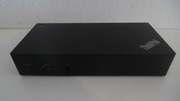
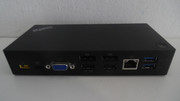
This is the first generation of Lenovo's USB-C/TBT docks. Feature-wise, it is remarkably similar to its more-or-less direct predecessor, the OneLink+ dock. The connection to the PC is now via a USB-C port (a cable is included), one of the front USB 3.0 ports was replaced with USB-C as well, although that one is only for connecting/charging smaller gadgets, and the always-on USB was moved to the rear of the unit. Other than that - it is the same selection of ports, roughly same size and shape. Both docks can do 3840x2160@30Hz on a single DP port. According to Lenovo's official documentation - the 40A9 dock is a step back in one aspect - for two displays it only support 1920x1200@60Hz, versus 2560x1600@60Hz on the 40A4. I haven't verified whether this information is correct.
I used a 40A9 for about a year and a half with a X1C5 and a TP25. It worked well most of the time, but I do remember some issues with displays not going to sleep properly, and sometimes USB devices disconnecting. Reports of monitor blinking are common with this model. For an early implementation of a technology it can be expected, but nowadays there are better successors.
ThinkPad Thunderbolt 3 Dock
Model type: 40AC / DBB9003L1
Power: 20V/6.75A (135W), Lenovo slim-tip
Technology: Thunderbolt 3
Orientation: Horizontal
Rear ports: Power, Thunderbolt, 4xUSB3.0 (one always on), 2xDisplayPort++, HDMI, VGA, Gigabit Ethernet
Front ports: USB3.0, Thunderbolt, 3.5mm audio combo jack
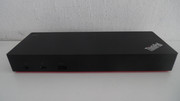
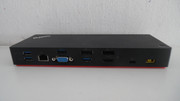
Compared to the USB-C dock, the port selection is richer and more modern. All five USB ports are now 3.0, the extra USB-C port on the front is full-fledged Thunderbolt (claiming 5V/3A power delivery), and an HDMI port has been added on top of the pair of DP++ and VGA, for flexible monitor connectivity. The second pair of DP/HDMI share a video stream, so only a maximum of three displays can be connected total, but the dock will happily do a pair of 3840x2160@30Hz or a single 3840x2160@60Hz - something beyond the scope of plain USB-C. VGA can output 1920x1200@60Hz. On selected laptops, with high-bandwidth Thunderbolt controllers, another 3840x2160@60Hz output can be obtained via the Thunderbolt downstream port on the front, but still only up to three total displays at the same time.
The downside of this dock is that it is Thunderbolt only. It cannot work with a plain USB-C host, because USB-C fallback was not yet implemented in this generation of controllers (Alpine Ridge).
ThinkPad Thunderbolt 3 Dock Gen 2
Model type: 40AN / DK1841
Power: 20V/6.75A (135W), Lenovo slim-tip
Technology: Thunderbolt w/ USB-C fallback
Orientation: Horizontal
Rear ports: 2xPower, Thunderbolt + extra power uplink, 4xUSB3.0 (one always on), 2xDisplayPort++, 2xHDMI, Gigabit Ethernet
Front ports: USB3.0, Thunderbolt, 3.5mm audio combo jack
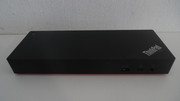
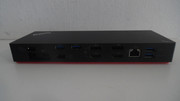
This 40AN dock was sold by Lenovo under three different names - TBT3 Dock Gen2, TBT3 Workstation Dock, TBT3 Workstation Dock Gen2. The only difference is in the included power adapters and power cables. Since TBT3 is limited to 90-95W output, this dock supports power delivery to workstation notebooks via a special cable combining TBT with an extra power cord, delivering up to 170W of power to the notebook itself. The 'workstation' versions came with such a cable (its design changed slightly between Gen1 and Gen2). The original workstation package included two separate power supplies, and that is why the dock has two separate, marked power plugs. Workstation Gen2 saved on the size and weight by delivering a novel, powerful yet slim power adapter and a Y-splitter cable. The regular Gen2 is much simpler - using only a single 135W adapter, and a standard TBT3 cable to the PC, delivering up to 65W. Apparently, the dock takes a good deal of power for itself, because it refuses to deliver power to the system with only a 90W adapter connected.
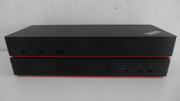
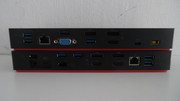
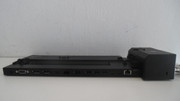
Compared to the original 40AC dock (on top), the 40AN (bottom) has some significant advantages:
- Fallback to USB-C when the host PC does not support Thunderbolt
- USB 3.1 Gen 2 10Gbps versus 3.0 5Gbps
- Supports power delivery for workstation-class laptops
- Supports dual HDMI without adapters
- Supports three external digital displays without Thunderbolt and (on select models) up to four with Thunderbolt (front port)
The one downside is the elimination of the legacy VGA output, if you have a particularly old display with no DP/HDMI inputs. At slightly over 500 grams, the 40AN is also about 200g heavier than the 40AC. I've also had one strange anecdotal experience - this newer Titan Ridge dock, on an older Alpine Ridge host, had some issues in pre-boot environments with a very particular keyboard. Not something one is likely to run into.
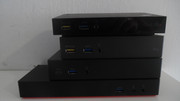
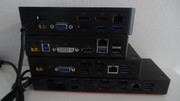
Once USB-C and Thunderbolt came into the picture, it was game over for proprietary docking standards. Since Thunderbolt can pass PCI-Express, which in turn can tunnel everything from GPU to LAN, there is no reason to use anything else if your host has the technology. This gives the benefit of making the docks almost universal - they would work just the same with any host that has the same Thunderbolt controller - with exception of niche features such as power button compatibility. The power button on these Thinkpad docks will probably not work on other laptops, including some of Lenovo's own. And vice versa. I understand the situation may be resolved in latest USB4 offerings, as the spec offers a standard way to alert the system via the power delivery (PD) protocol. I haven't had a chance to try.
One aspect in which I rank the Lenovo USB-C/TBT docks higher than those of other big names -
detachable cables. With most HP and DELL offerings I've seen have the cable integrated into the body of the dock, and if something damages the cable or the connector on the other end - it's a costly and non-trivial replacement of the module. Lenovo's docks use standard cables everywhere (except perhaps the workstation charging cord of dock 40AN, but even that one is easier to replace than something that requires taking the dock apart). The OneLink generation does use fixed cables, but both the cable and connector are very thick and unlikely to get damaged due to a minor misahp. Something which, unfortunately, isn't true about the miniature USB-C connectors.


 Homepage
 Forum
Forum Drivers
 HMM-Manuals
 MTM
MTM Feed
Feed

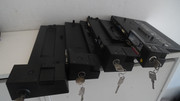
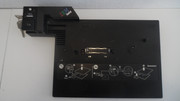
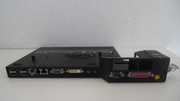
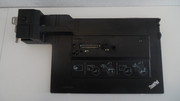
 ) - to maximize compatibility, the docks only passed through USB-C, not Thunderbolt. Thus, if your system had Thunderbolt support, you would lose access to those ports when docked. As a consequence - this generation of mechanical docks was the last, for the time being and the foreseeable future.

